Coming soon to iPhone
Your camera roll, finally sorted.
Screenshot the things you want to remember. Screenshot OS turns each one into a next step: a reminder, a plan, a place, a link.
Free to start · Private by design · No ads, ever
- EventScreenshot
Gig, Friday 8pm
Moth Club
- Product
- NoteScreenshot
Miso aubergine
Recipe to try
- Found
- PlaceScreenshot
BRAT, Shoreditch
Restaurant
- Reminder


2,847 screenshots. 3 you remember why.
Give or take. We’ve all been there.
- Trainers you liked
- That ramen place
- Gig on Friday
- Renew passport
- Recipe to try
- Flat viewing, Tues
- Gift idea for Mum
- Wi-Fi password
- Book recommendation
- Weekend walk
- Dentist, 3pm
- Lamp for the hallway
- Reply to Sam
- Rooftop bar
How it works
From “I’ll remember that” to done.
- Step 1
Share
Screenshot like you always do. Share it to Screenshot OS from Photos or any app, or pick a few at once.
- Works from the share sheet
- Several at a time
- Waits safely on your phone if you’re offline
- Step 2
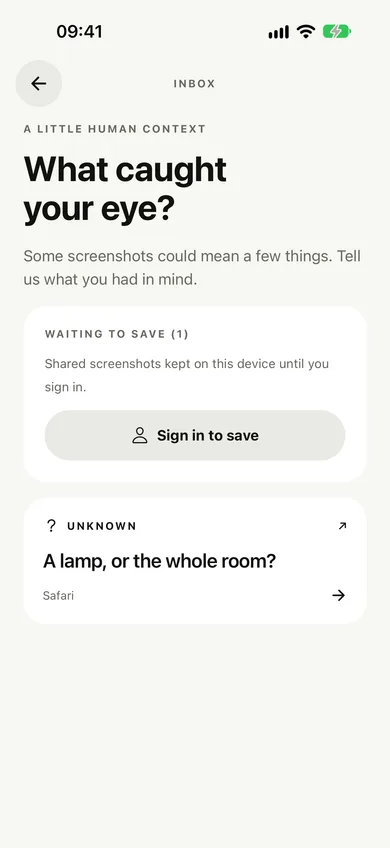
Understand
Say what you had in mind in a tap, or let AI read the details for you: dates, places, prices, links.
- Your context, your call
- AI only when you ask and allow it
- Check the details before acting
- Step 3
Act
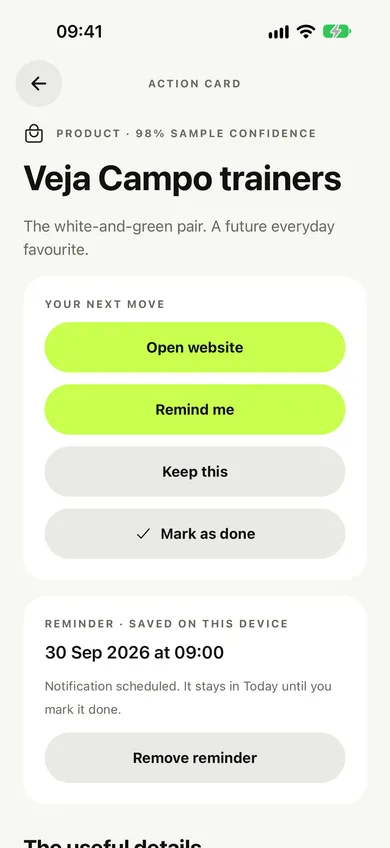
Each screenshot becomes an Action Card with a next step. Set a reminder, add it to your calendar, open the map or the website.
- Reminders on your phone
- One tap to your calendar
- Today shows what’s due

What it understands
Products, places, plans and more.
- ProductOpen website
Veja Campo trainers
GBP 125 · Veja
- PlaceOpen in Maps
BRAT, Shoreditch
4 Redchurch Street
- EventAdd to calendar
Design Museum late
Friday · 18:00
- TaskRemind me
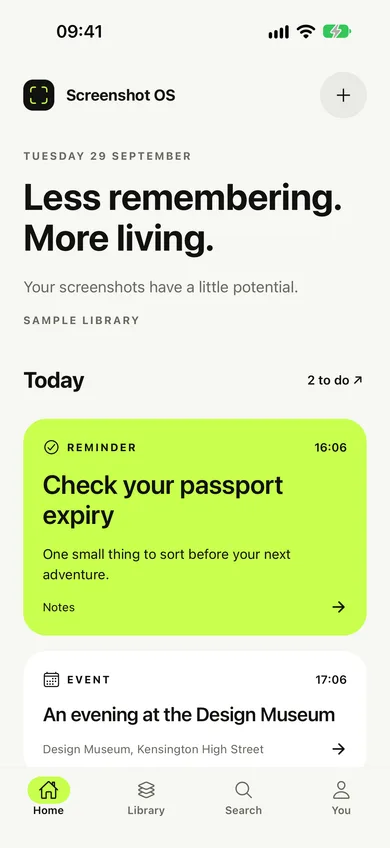
Check your passport expiry
Before the trip
- NoteKeep
Book: Tomorrow, and Tomorrow…
From a friend
Everything else
Small things that add up.
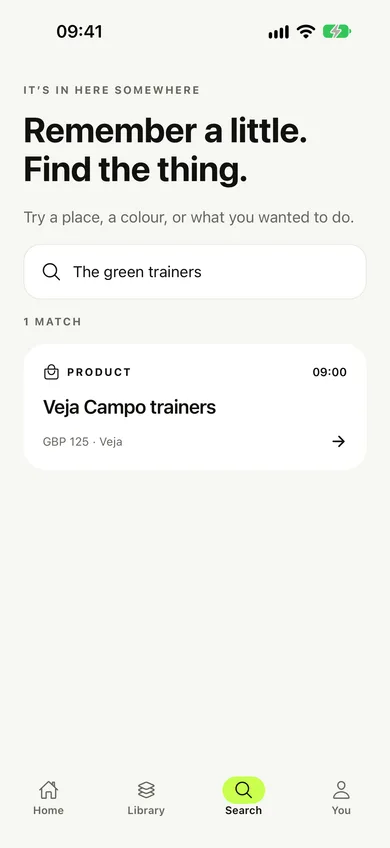
Search by what you remember
Type a place, a shop or what you wanted to do. It searches your notes, the details and what the AI read.
Reminders that land
A nudge on your phone at the right moment, with the screenshot one tap away.
Collections
Group a trip, a wishlist or dinner ideas and keep them together.
Share from any app
Send screenshots in from Photos or anywhere with a share button.
Light and dark
Follows your phone’s appearance, day or night.
Today, sorted
Everything that’s due, in one calm list. Tick it off and it’s done.
Accessible by design
Built to work with larger text, VoiceOver and TalkBack, and reduced motion.
Private by design
Your screenshots are yours. That’s the whole deal.
Free and Plus
Free to start. Plus when you want more.
Free
For getting your camera roll under control.
£0
- AI analyses a month10
- AI analyses a day5
- Saved screenshots100
- Collections5
- Reminders, calendar and searchIncluded
Plus
7 days free · 40 analysesFor people who screenshot everything.
£24.99 a year
or £2.99 a month
- AI analyses a month300
- AI analyses a day40
- Saved screenshotsUnlimited
- CollectionsUnlimited
- Reminders, calendar and searchIncluded
Try it free for 7 days (40 AI analyses included), then it renews automatically. Cancel any time in your App Store or Google Play settings.
Do you read all my screenshots with AI?
No. A screenshot is only sent for AI analysis when you tap Understand this screenshot and have allowed it. You can always add context yourself instead.
Where is my data stored?
Your account and screenshots are stored privately in London, and only your account can reach them. There are no ads, no tracking and we never sell your data.
What does Plus add?
Free includes 10 AI analyses a month, 100 saved screenshots and 5 collections. Plus raises that to 300 analyses a month (40 a day) and unlimited saves and collections.
How do I cancel?
For Apple or Google purchases, cancel in your store subscription settings at least 24 hours before the period ends. For a web purchase, use Manage subscription in Screenshot OS before renewal. You keep Plus until the period ends, and nothing you’ve saved is deleted.
Screenshot it. We’ll remember why.
Coming to iPhone first, then Android. Free to start.


